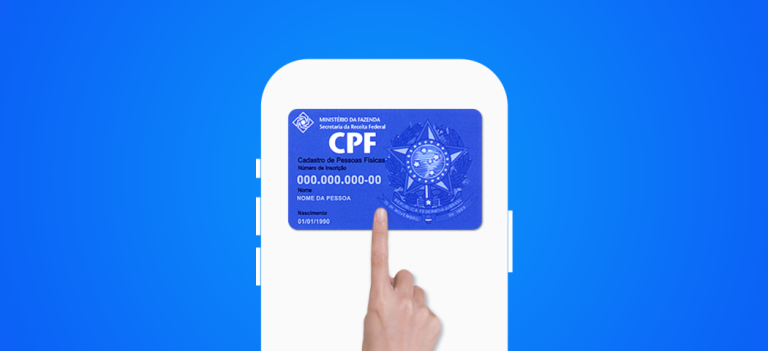
The digital CPF is a digital version of the Cadastro de Pessoas Físicas. It allows people to do various things safely and easily.
Using official app from the government helps a lot. This way, you can download your digital CPF quickly.
This digital version of the document is a major innovation. It greatly helps with Brazil's digital life. This makes it easier to do things with the government.
To get started, go to the gov.br through the official app. This is the first step toward getting your digital CPF.
Key Points
- Ease of access to the digital CPF
- Security when carrying out transactions
- Innovation in digital citizenship
- Simplified procedures with the government
- Practical everyday use
What digital CPF is and why it matters
It is essential to understand the digital CPF to take advantage of the benefits of the digital era in Brazil. The digital CPF is an electronic version of the Cadastro de Pessoas Físicas. It allows people to access and use their tax identity safely and easily in various situations.
Differences between the traditional and digital CPF
The traditional CPF is a physical document issued by the Receita Federal. The digital CPF, on the other hand, is its electronic version. The main difference is the convenience and security that the digital format offers. With the digital CPF, you can carry out transactions and access public services without having to show the physical document.
- Secure storage in the app gov.br
- Easy access to public services and private
- Reduced risk of loss or theft of the document
Legal validity of the digital document
The digital CPF has the same legal validity as the physical document. It is recognized throughout Brazil and accepted in various situations.
Situations in which the digital CPF is accepted
The digital CPF can be used in various situations, such as:
- Financial transactions and banking
- Access to public services online
- Identification on digital platforms
In addition, the digital CPF is an important tool for the digital identity of the citizen. It provides greater safety and convenience in everyday life.
Preparations before downloading the digital CPF
Before starting to obtain the digital CPF, it is essential to be ready with the right documents and a suitable smartphone “Having your documents in order is the first step toward a smooth experience,” says a specialist in safety digital.
Documents required for registration
You will need documents that prove who you are, such as an ID card or passport. You will also need proof of where you live. Make sure the documents are up to date and legible.
Smartphone technical requirements
Your smartphone needs to have QR Code reading capability. It is also important that it has the most up-to-date operating system. And don’t forget to have a good internet connection.
Alternatives for those who do not have a smartphone
If you don’t have a smartphone, don’t worry. You can use a computer with a biometric reader or go to an in-person service center.
How to download the official gov.br app
The application gov.br is the gateway to various digital government services. This includes the digital CPF. Downloading it is essential for anyone who wants public documents and services quickly and securely.
Download from the App Store (iOS)
For those using iOS, downloading the app gov.br is done through the App Store. Make sure your Apple ID is set up correctly and that the device has enough storage space.
Open the App Store, search for “gov.br”, and choose the official app. Tap “Get” and then “Install”.
Download from the Play Store (Android)
For Android, access the Play Store to download the gov.br app. It is important to have an active Google account and space on the device.
Open the Play Store, search for “gov.br”, and find the official app. Tap “Install” to start the download.
App security verification
After downloading, it is essential to verify the app’s security. Check whether the developer is “Governo do Brasil” and read reviews from other users.
How to identify fake apps
Fake apps can deceive users. Be wary of apps with many spelling errors or that request too many permissions. Check that the name is correct and that there are good reviews.
Step-by-step guide to getting your digital CPF
Getting your digital CPF is easy and secure. First, you need to create an account on gov.br. This is the official Brazilian government website for online services.
Creating a gov.br account
To get started, create your account on gov.br. You will need information such as your name, date of birth, and CPF. It is also essential to create a strong password.
Identity verification levels
Verifying your identity is an important step to getting your digital CPF. There are three levels: basic, with facial recognition and with digital certificate.
Basic verification
Basic verification is simple. It uses the information you provided when you created your account on gov.br.
Verification with facial recognition
Verification with facial recognition is more advanced. It uses facial recognition technology facial recognition to confirm who you are.
Verification with a digital certificate
Verification with digital certificate is the safest. It uses a digital certificate issued by a certification authority to verify your identity.
Locating the CPF in the app
After creating your account on gov.br and completing the verification, you can find the digital CPF in the app. Follow the instructions on the screen to access it.
Saving the digital CPF on your device
With the digital CPF accessed, you can save it on your device. This makes future access much easier.
| Verification Level | Description | Security |
|---|---|---|
| Basic | Verification based on the information provided | Low |
| Facial Recognition | Verification using facial recognition technology | Medium |
| Digital Certificate | Verification using a digital certificate | High |
Benefits of the digital CPF in everyday life
The digital CPF has changed how we interact with services and money. It offers advantages that make life easier and safer.
Convenience in public services
One major benefit is convenience in public services. With the digital CPF, we can do things faster without needing physical documents.
Use in financial transactions
The digital CPF also improves financial transactions. It makes everything safer and faster, whether in banks or other financial activities.
Fraud reduction and greater security
Adopting the digital CPF helps reduce fraud. This is because the document is very secure and difficult to forge.
Integration with other digital documents
Another positive point is the integration with other digital documents. This makes life much easier, as we do not need as many physical documents.
In completion, the digital CPF brings many benefits. It improves Brazilians' lives in several areas.
Common problems and how to solve them
When you obtain the digital CPF, you may encounter some problems. Although it is a simple process, errors can occur.
A common problem is facial recognition failure. To solve this, make sure the photo was taken in good lighting. It is also important to have a neutral expression.
Facial recognition failures
If the system does not recognize your face, try again. Adjust the lighting and the pose in the photo.
Registration errors in the system
Check that all the data was entered correctly. A small error can cause problems.
Difficulties accessing the application
Make sure the application is up to date. Check whether your device meets the technical requirements.
When to seek in-person assistance
If the problems persist, visit an in-person service unit. Thus, you can resolve the situation.
| Problem | Solution |
|---|---|
| Facial recognition failure | Adjust lighting and pose |
| Registration error | Check entered data |
| Access difficulty | Update the app and check device requirements |
With these solutions, most problems can be resolved efficiently.
Conclusion
We explored the digital CPF, a secure and practical document. It is changing how Brazilians interact with public and private services. With it, it is possible to do many everyday things more securely and efficiently.
The digital CPF is a major step forward in the digitization of documents. It is secure and practical, unlike the physical document. It is legally recognized and greatly helps citizens in their daily lives, making it easier financial transactions and access to public services.
Security is a major feature of the digital CPF. It uses advanced technology to protect users' information. Thus, Brazilians can have greater peace of mind when carrying out their daily activities, knowing that their information is secure.
FAQ
What is the digital CPF?
The digital CPF is a digital version of the Cadastro de Pessoas Físicas. It allows people to carry out various operations securely and easily.
What are the differences between the traditional CPF and the digital one?
The digital CPF is a digital version of the CPF. It is accepted in various situations, such as financial transactions. This makes things more practical and secure.
What documents are required to obtain the digital CPF?
You will need identification documents, such as an RG or driver's license. Proof of residence is also required.
What are the smartphone's technical requirements for downloading the digital CPF?
Your smartphone needs to have an updated operating system. In addition, you need an internet connection and a camera that recognizes your face.
How can I verify the security of the gov.br app?
First, check whether the app is official. Read the reviews and comments from other users. Make sure the developer is the government.
What should I do in case of facial recognition failures?
Try again, making sure that the lighting and camera position are correct. If the problem persists, contact support.
Can I use the digital CPF in financial transactions?
Yes, the digital CPF is accepted in financial transactions. This offers greater security and convenience.
How to save the digital CPF on my device?
After obtaining the digital CPF, you can save it on your device. Follow the instructions in the gov.br app.
What should I do if I have difficulty accessing the app?
Check that the app is up to date. Make sure your device meets the technical requirements. If the problem persists, contact support.