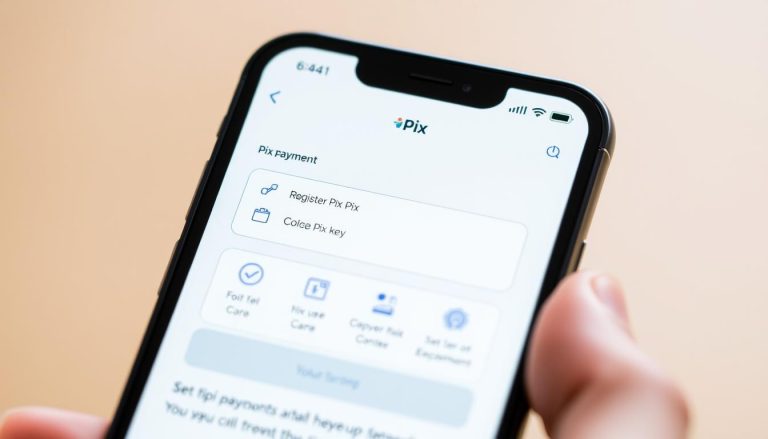
Registering your Pix key is now very simple. With advanced technology, you can do this directly from your cellphone. And all of this in just a few minutes.
The Pix registration makes financial transactions. By registering your key, you can send and receive money easily. Just a few taps on your cellphone.
Ease and speed are the main strengths. With cellphone Pix, forget about passwords and long lines at banks.
Main Conclusions
- Quick and easy registration directly through your cellphone.
- Financial transactions secure and instant.
- There is no need to memorize passwords.
- Available 24 hours a day.
- Reduced lines and waiting time at banks.
What Pix is and its benefits for banking transactions
The Pix changed the way we conduct banking transactions in Brazil. It was created by the Central Bank. It is an instant payment system that allows money to be transferred between accounts at different banks quickly and securely.
Basic operation of the instant payment system
The Pix It transfers funds directly from the source bank to the destination. This eliminates the need for intermediaries. As a result, transactions are faster and can be made at any time, every day.
Advantages of using Pix in your daily life
The Pix brings many benefits. One of them is convenience of making payments without cash or cards. Another is safety, as transactions are encrypted and supervised by Banco Central.
| Feature | Pix | Traditional Bank Transfer |
|---|---|---|
| Speed | Instant | Banking hours |
| Cost | Free for most transactions | Fees may apply |
| Availability | 24/7 | Banking hours |
With Pix, the future of banking transactions is here. Its adoption is a major step forward in how we manage our finances.
Understand what a Pix key is and why it matters
The Pix key is essential in today's financial transactions . It is a unique identifier linked to your bank account. This way, you can make fast and secure transactions.
Using the Pix key makes financial transactions simpler. You do not need to provide complex banking details. Just use a key that is easy to remember.
How the Pix key makes your financial transactions easier
The Pix key allows you to send and receive money quickly. You do not need to provide detailed banking information. This makes transactions faster and safer.
How many keys you can register per account
You can have up to five Pix keys per bank account. This helps manage your transactions in various ways. You can use a mobile phone number, email, CPF or a random key.
Differences between transferring with a key and without a key
Transferring with a Pix key is safer and faster. The transaction is linked to a unique identifier. Transfers transfers without a key may require more information and take longer.
| Feature | Transfer with Pix Key | Transfer without Pix Key |
|---|---|---|
| Security | High | Moderate |
| Speed | Instant | Time-consuming |
| Complexity | Low | High |
Types of Pix keys you can register by cellphone
Pix offers several keys for you to choose from. It may be for security, convenience or privacy. This way, you can choose the one that is best for you.
It is essential to understand each type of Pix key. This helps you make a better decision.
CPF/CNPJ: advantages and considerations
Using CPF or CNPJ as a Pix key is safe. It is great for those who want more security. But be careful when sharing this information.
Mobile phone number: convenience in everyday life
Registering your mobile phone as a Pix key is very practical. Many people already have the number linked to their bank account. This makes transactions much easier.
Email: an option for greater privacy
Use email as a Pix key is good for those who want privacy. Allows you to keep your financial information more secure. But it is important to have a email secure one.
Random key: when and why to choose this option
The random key is generated by the system. It is great for those who want anonymity in transactions. It is ideal for transfers large transactions or for those who do not want personal data.
Choosing the right Pix key depends on your needs. Carefully evaluate each option to make the most of Pix.
Step-by-step guide to registering your Pix key at different banks
Registering your Pix key is essential for using instant financial transactions. We will show you how to do this at the main Brazilian banks and digital banks.
How to register it in the apps of the main Brazilian banks
Banks such as Banco do Brasil, Bradesco and Itaú have an easy process for registering a Pix key. This is done through their mobile apps.
- Open your bank's app.
- Navigate to the “Pix” or “Pix Key” section.
- Select the “Register Key” option.
- Choose the type of key you want to register (CPF, mobile phone number, email, etc.).
- Confirm the details and complete the registration.
Registration with digital banks: Nubank, Inter, and others
Digital banks such as Nubank and Inter also allow you to register your Pix key quickly and intuitively.
- Access the digital bank’s app.
- Locate the section dedicated to Pix.
- Choose to register a new key.
- Fill in the necessary information.
- Complete the registration process.
Confirmation and activation of your registered key
After registering your Pix key, it is crucial to confirm and activate the key for use.
The bank’s app generally offers the option to confirm the key immediately after registration. In some cases, you may need to wait for confirmation via SMS or email.
Solutions to common problems when registering a Pix key
If you are having difficulty registering your Pix key, you are not alone. Many people face these problems.
Here are some solutions to the most common problems:
What to do when the app does not recognize your details
If the app does not recognize your data, check that the information is correct. Make sure your registration is up to date. Sometimes, a small error can cause this problem.
Resolving “key already registered with another institution” errors
If you receive a message that your key is already registered, you probably registered it with another bank. In this case, you can use a different key. Or contact the bank where the key was registered.
When to contact your bank’s support
If you have tried everything and are still having problems, it is time to seek help from your bank. They can provide personalized assistance to resolve the issue.
| Problem | Solution |
|---|---|
| App does not recognize data | Check the information and update your registration |
| Key already registered | Use a different key or contact the previous bank |
| Persistent problems | Contact your bank’s support |
Managing your Pix keys after registration
After registering your Pix key, it is essential to know how to manage it. This helps prevent problems in the future. Properly managing your Pix keys ensures secure and efficient financial transactions.
How to view, change, or delete keys on your phone
Viewing, changing, or deleting Pix keys is easy through the bank's app. To view your keys, go to the app's settings section. To change or delete them, follow the bank's instructions, which may ask you to verify your identity.
Changing or deleting keys may affect your transactions. Therefore, do so carefully. If you have any questions, contact the bank's support team.
Transferring your Pix key to another bank (portability)
If you change banks, you can take your Pix key with you. This process is called portability. To do this, go to the new bank's app, choose the option to register a new Pix key, and follow the instructions.
The portability of the Pix key is advantageous. You do not need to create a new key or inform the people who receive your transactions about the change.
Security tips to protect your Pix transactions
To protect your Pix transactions, follow some security tips. First, never share your login information or password with anyone. Also, keep the bank's app updated and use security measures such as two-factor authentication.
Another important point is to watch out for scams and fraud. If you receive a suspicious message asking for financial information, contact the bank immediately.
Pix Key Registration: Simplifying Your Financial Transactions
Registering your Pix key is easy and can be done by phone. In this article, we discuss the benefits of Pix for your banking transactions. We also show you how to register it step by step.
The Pix key is secure and efficient for financial transactions. You can choose between CPF, mobile phone number, email, or a random key. This way, it adapts to your needs.
One major advantage of Pix is the security of transactions. You can make transfers quick and secure, without having to provide sensitive data.
With this information, you are ready to use Pix. Register your Pix key and see how easy and secure it is to make payments.
FAQ
What is Pix?
Pix is an instant payment system. It was created by the Central Bank of Brazil. It allows financial transactions to be carried out quickly and securely.
What types of Pix keys can I register?
You can register four types of Pix keys. They are: CPF/CNPJ, mobile phone number, email, and random key.
How do I register my Pix key by phone?
To register your Pix key using your mobile phone, access your bank’s app. Choose the Pix key registration option and follow the instructions.
Can I have more than one Pix key registered?
Yes, you can have up to five Pix keys registered per account.
What should I do if I receive a “key already registered with another institution” message?
If you receive this message, contact the bank where the key was previously registered. This way, you can resolve the issue.
How can I manage my Pix keys after registration?
You can view, change, or delete your Pix keys through your bank’s app.
Is it safe to make transactions with Pix?
Yes, Pix transactions are secure. They are encrypted and authenticated by the Central Bank.
Can I transfer my Pix key to another bank?
Yes, it is possible to transfer your Pix key to another bank. This process is called portability.
What are the advantages of using Pix?
The main advantages of Pix are speed, security, and convenience in financial transactions.
What should I do if I have problems registering my Pix key?
If you have problems, contact your bank’s support team. They can help.